Change JFIF to JPG Online – Fast & Safe
This page shows you the safest way to change JFIF to JPG using our browser-based converter, without losing image quality or exposing your files to a remote server.
Your Control Center for Changing JFIF to JPG
The JFIF to JPG Converter embedded on this page is designed for speed and confidence. You can change JFIF to JPG in three clicks—upload/change JFIF to JPG/download—while the engine quietly handles all structure repairs based on your browser.
What does it mean to change JFIF to JPG?
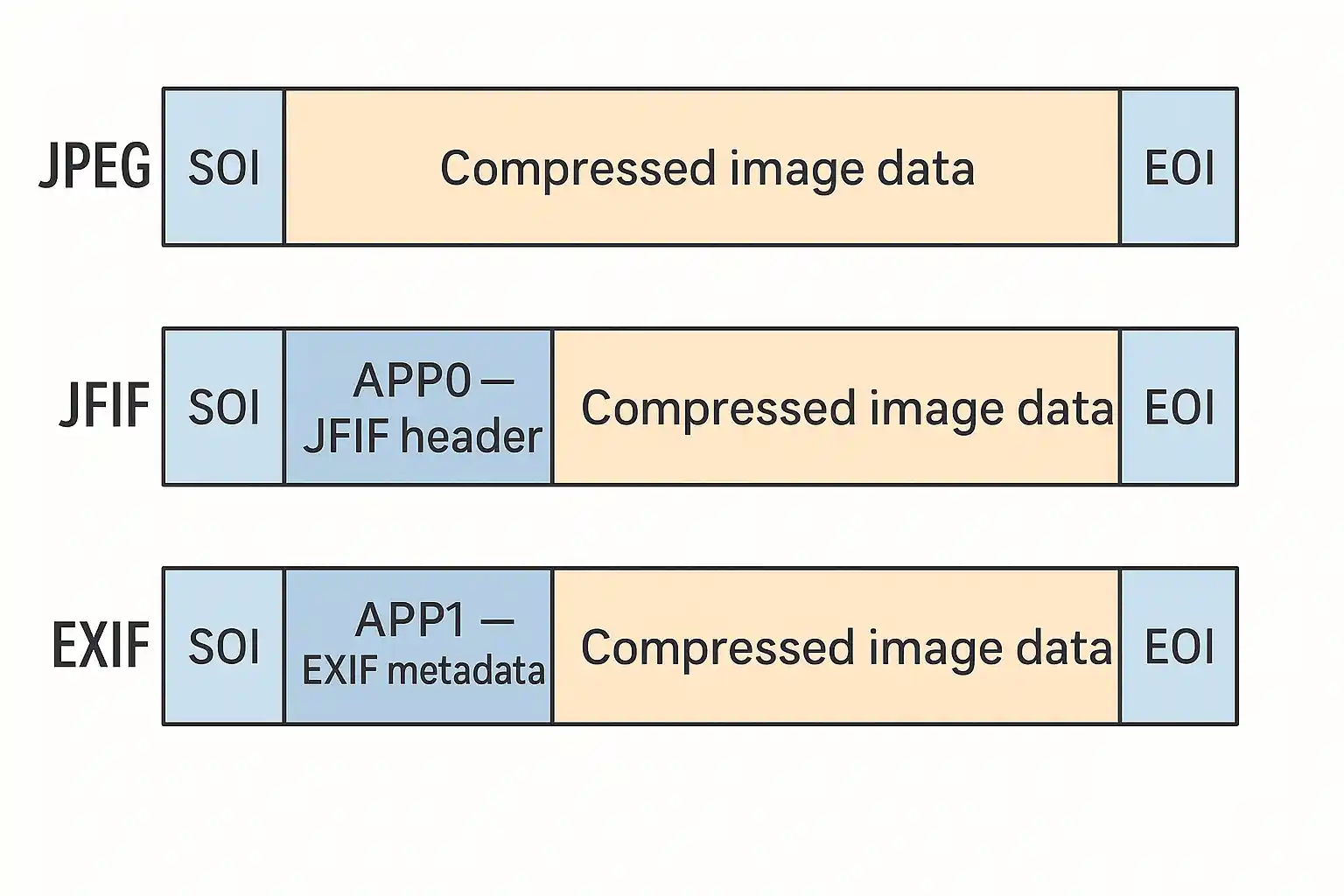
At a basic level, both JFIF and JPG contain JPEG image data. The main difference is how that data is wrapped
and
labeled. A JFIF file often uses the .jfif extension and slightly different header information,
while a JPG file
uses the
familiar .jpg extension and a more widely supported container. Changing JFIF to JPG means:
- making the file extension
.jpg - normalizing the container so websites and apps recognize it as a standard JPEG
The safest way to do this is with a tool that understands both formats and rewrites the file correctly, rather than just renaming it.
How to change JFIF to JPG with our free online converter
Follow these simple steps to change JFIF to JPG directly in your browser:
- Open our JFIF to JPG Converter.
- Drag and drop your jfif files, or click the button to choose them from your device.
- Click and wait a moment while the tool rewrites each file as a standard JPG
- Download the converted JPG images individually, or use the ZIP option if you processed many files at once.
All conversions run locally in your browser, so your images never leave your device.
Can I just rename jfif to jpg?
Simply changing the file extension from jfif to jpg might work in some cases, but it is not guaranteed. Some
upload
systems and scripts check both the extension and the internal headers.
If the file still identifies itself as
JFIF,
strict validators may reject it. Using a proper JFIF to JPG converter ensures the container and metadata are
consistent
with what software expects, so your images behave like normal JPEG files everywhere.
Tips to avoid JFIF files in the future
If you constantly need to change JFIF to JPG, consider these tips:
- Check your browser or screenshot tool settings for an option to save as JPG.
- Standardize your workflows so teammates export images as JPG by default.
- Use our converter to batch-fix existing JFIF files, then archive only the cleaned-up JPG versions.
Whenever new JFIF images appear, you can quickly convert them here and keep your projects, automations, and uploads running smoothly.